
Download File Multi Tool 5 – Free Photo Date & Time Editor for Windows & macOS
Introduction: Why File Multi Tool 5 Is a Must‑Have for Photographers
If you’ve ever imported a batch of photos only to discover that the timestamps are off by hours—or even days—because of a changed time zone, a faulty camera clock, or a simple human error, you know how frustrating it can be to organize, sort, and share your images. File Multi Tool 5 solves that problem with a clean, intuitive interface that lets you edit the date and time attributes of image files in seconds. The tool is lightweight, runs on both Windows and macOS, and offers a free version that covers the core needs of hobbyists, travel photographers, and even small‑business owners who rely on accurate metadata for cataloguing.
In addition to fixing timestamps, the application also provides bulk‑processing capabilities, so you can apply the same correction to dozens or hundreds of files without repetitive manual work. This review walks through the key features, installation steps, system compatibility, and the pros and cons you should weigh before downloading. By the end, you’ll know exactly how File Multi Tool 5 can streamline your workflow and keep your photo library organized.
Feature Set & Step‑by‑Step Installation Guide
Core Features (itemprop="featureList")
- Bulk date‑time editing for JPEG, PNG, TIFF, and RAW formats.
- Time‑zone conversion with automatic daylight‑saving adjustment.
- Preview mode that shows original and modified timestamps side by side.
- Drag‑and‑drop interface for fast file selection.
- Undo/redo stack for safe experimentation.
- Export of corrected files to a user‑defined folder while preserving originals.
- Support for EXIF, IPTC, and XMP metadata standards.
Installation & First‑Run Usage (itemprop="offers")
Getting File Multi Tool 5 up and running is straightforward. Follow these steps to download, install, and start correcting your photos:
- Download the installer: Visit the official website and click the Download for Windows or Download for macOS button. The file is a small (<10 MB) executable that is digitally signed for security.
- Run the installer: On Windows, double‑click the
.exefile and accept the UAC prompt. On macOS, open the.dmg, drag the app icon to the Applications folder, and confirm any Gatekeeper warnings. - Launch the application: After installation, start File Multi Tool 5 from the Start menu or the Launchpad. The first launch triggers a brief wizard that asks for your preferred language and whether you want to enable automatic updates.
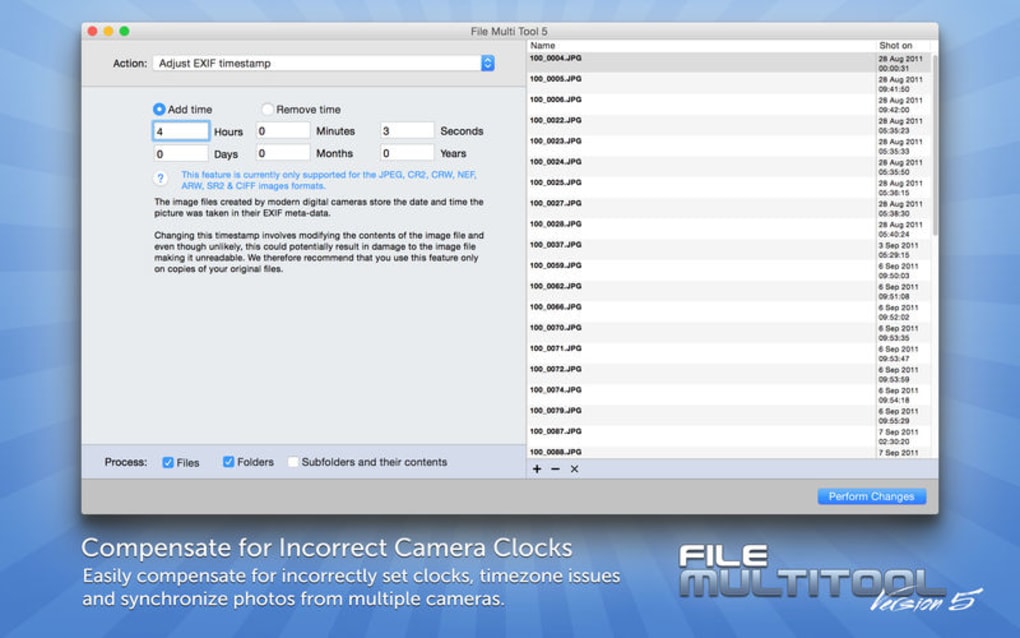
- Add files: Use the “Add Files” button or simply drag your image folder onto the main window. The program automatically reads the embedded metadata and displays a sortable list of filenames with their current timestamps.
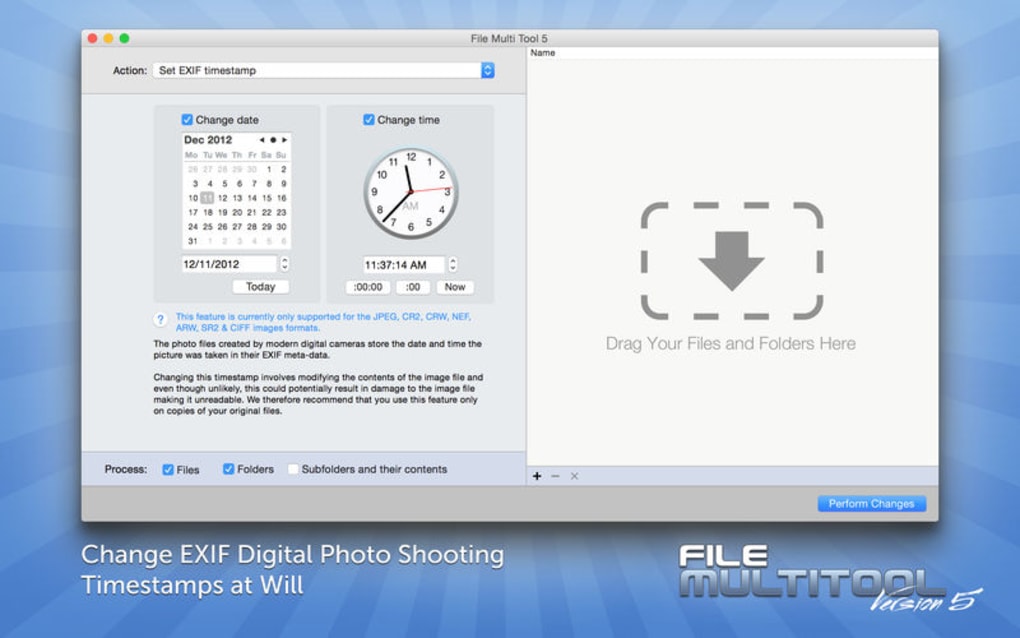
- Set the correction: Choose a reference date or select “Shift by” and enter the number of hours/minutes you need to adjust. The preview pane instantly shows the new timestamps.
- Apply changes: Click “Process” to write the new timestamps to the selected files. You can also export a log file that records every change for audit purposes.
The entire workflow—from download to first successful edit—takes less than five minutes on a typical modern computer. The user‑friendly design ensures that even non‑technical users feel confident making bulk metadata changes without risking data loss.
Compatibility, Pros & Cons (Operating System & Review)
Supported Platforms: File Multi Tool 5 runs on Windows 10, Windows 11, and macOS 10.14 (Mojave) or later. The application is built with a 64‑bit architecture, guaranteeing smooth performance even when handling large batches of high‑resolution RAW files.
Pros
- Free core version provides all essential date‑time editing tools.
- Intuitive drag‑and‑drop interface reduces learning curve.
- Bulk processing saves hours compared to manual EXIF editing.
- Accurate time‑zone conversion eliminates common daylight‑saving errors.
- Lightweight footprint; runs comfortably on older laptops.
Cons
- Advanced RAW format support (e.g., Nikon NEF, Canon CR2) limited to the paid Pro upgrade.
- No built‑in cloud sync; users must manage backups manually.
- Customization of UI themes is not available.
Overall, the free edition of File Multi Tool 5 delivers a focused solution for the most common photo‑metadata issue—incorrect timestamps. While power users may eventually need the Pro features for extensive RAW support, the base app is more than capable for everyday photographers, travel bloggers, and small businesses that rely on accurate file dates for filing and client delivery.
Frequently Asked Questions
Can File Multi Tool 5 edit video file timestamps?
The free version focuses on image formats only. Video support (MP4, MOV) is available in the paid Pro tier, which adds batch editing for common video metadata.
Is there a limit to how many files I can process at once?
No hard limit is imposed. The practical limit depends on your computer’s RAM and CPU. Users have reported smooth processing of up to 5,000 images in a single batch on mid‑range hardware.
Does the software preserve original EXIF data?
Yes. Only the date‑time fields are modified; all other EXIF tags (camera model, aperture, GPS) remain untouched.
Is the application safe from malware?
The installer is digitally signed, and the developer provides regular updates through a secure HTTPS channel. No adware or hidden components are bundled.
How do I get the Pro version if I need RAW support?
From within the application, click the “Upgrade to Pro” button, which redirects you to the official store page. The upgrade is a one‑time purchase, and the license key is applied automatically.
Conclusion & Call to Action
File Multi Tool 5 offers a focused, free solution for correcting inaccurate photo timestamps—a common pain point for anyone who works with large image collections. Its bulk‑processing capabilities, time‑zone handling, and straightforward UI make it a time‑saving addition to any photographer’s toolkit. While the free version lacks advanced RAW and video support, the optional Pro upgrade fills those gaps without imposing a subscription model. If you’re looking for a secure, lightweight app that gets the job done quickly, download File Multi Tool 5 today and restore order to your photo library.







